

Chapter 2 Getting Started with the Repository
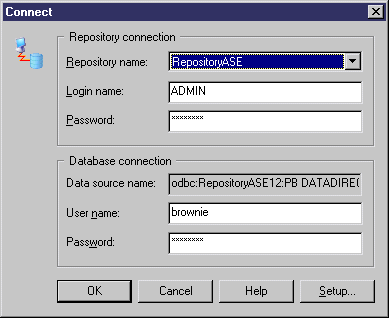
Once the repository has been set up by an administrator and you have created a repository definition, you can connect to the repository.
For information about setting up the repository, see the Installation Guide. For information about creating a repository definition, see Setting up PowerDesigner to Access the Repository.
 To connect to a repository:
For more information about branches, see "Repository Branches" in the Working with Repository Documents chapter.
| Copyright (C) 2008. Sybase Inc. All rights reserved. |
| |