

Chapter 3 Working with Repository Documents
You can review the documents that are currently locked, and lock additional documents by selecting Repository→Locks to access the List of Locks.
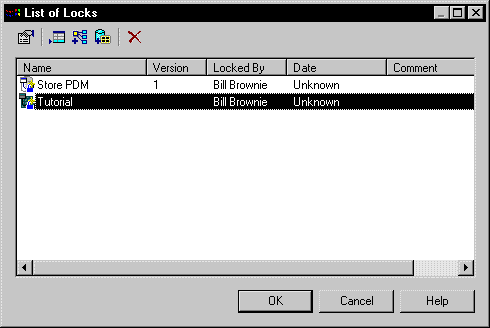
The following tools are available on the List of Locks:
| Tool | Description |
|---|---|

|
Settings – Opens the Lock Document dialog for the selected document, which shows details of the lock upon it. |

|
Add Lock – Opens the Lock Document dialog. Select a document to lock in the Name list and a comment, and click OK to lock it and return to the List of Locks. |

|
Add Related Document Versions - [models only] Locks any models that the selected model references through external shortcuts. The related models are automatically added to the List of Locks. |

|
Add Document Versions from a Configuration – Opens the Select Configuration dialog box, which allows you to select a configuration for locking. Document versions contained within the configuration are locked and added to the List of Locks. |

|
Delete – Unlocks the selected document, and deletes it from the List of Locks. Note that this tool does not delete the document version. |
 Locking all documents versions in the current branch
You can lock all the document versions in the current branch by right-clicking the root node and selecting Lock from the context menu. This command is available only if you have the Lock versions right and the appropriate permissions on the documents.
| Copyright (C) 2008. Sybase Inc. All rights reserved. |
| |