

Chapter 3 Working with Repository Documents
When you check in PowerDesigner models, the Check In Model window allows you to review all the differences between the local and repository versions and to apply or reject them as appropriate.
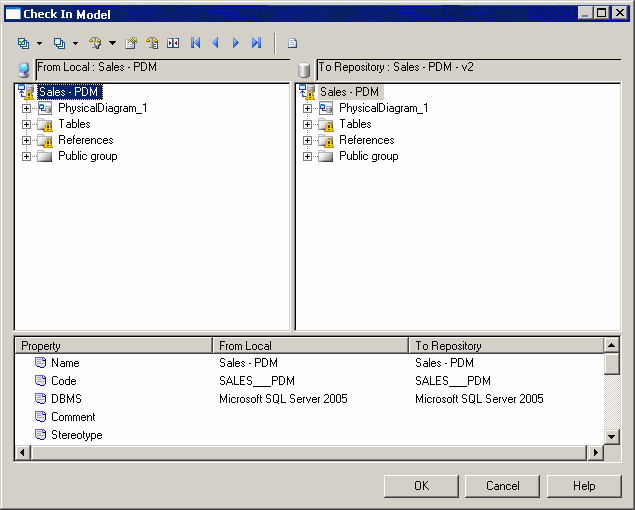
In the Check In Model window, the local version of the model is displayed on the left, and the repository version on the right. You can select or reject each of the differences for check in.
You can filter the content of the Check In Model window to display only conflicts, differences that occur when the same object has been modified in the local and repository versions, as in the following situations:
| Conflict type | In the repository model |
In the local model |
|---|---|---|
| Creation | Object removed | Object modified |
| Deletion | Object modified | Object removed |
| Attribute difference | Object properties modified (Name, Code, change in order of a list, addition of an object...) | Object properties modified |
When you check a local model into the repository, a message is displayed in the Output window to explain each conflict and the proposed resolution.
A final message lets you confirm the resolutions proposed by PowerDesigner, you can accept them or cancel the merge.
For more information on merging models, see the Comparing and Merging Models chapter in the Core Features Guide .
| Copyright (C) 2008. Sybase Inc. All rights reserved. |
| |