

Chapter 5 Browsing the Repository via the Web
Comparing model and object versions
You can compare two versions of a PowerDesigner model or object in the Repository Web Browser to obtain a detailed list of the differences between them.
 To compare model or object versions:
- Click the object in the repository explorer to display its property sheet, and then click the Compare tab.
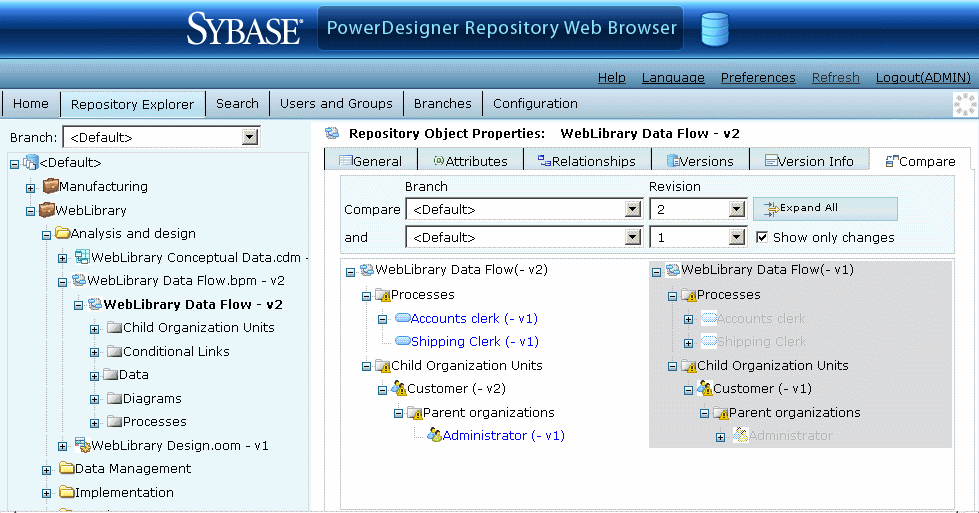
- Select the branches and versions numbers of the two versions of the model or object that you want to compare.
- [optional] Click the Expand All button to expand all the nodes, and/or select the Show only changes checkbox to show only nodes that have been changed.
- [optional] Click any of the child nodes to view changes to their properties.
|
Copyright (C) 2008. Sybase Inc. All rights reserved.
|
|