

Chapter 4 Managing Profiles
Common tools are used to organize the vertical and horizontal positioning of controls and to insert text, separators and spacers in the forms.

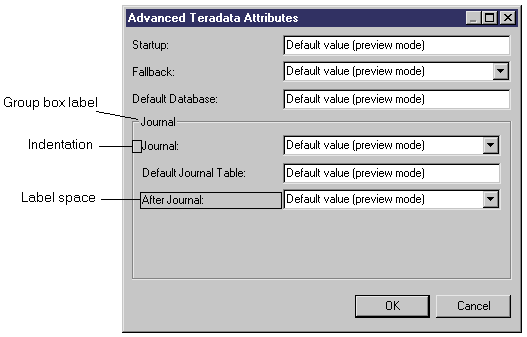
Inserts a group box around the items defined below the group box item in the tree.
When you create a group box item, you have to set the following properties:
| Property | Definition |
|---|---|
| Name | Name of the group box, this name must be unique in the form. |
| Indentation | Size in pixels corresponding to the left margin before displaying control labels. |
| Label space | Size in pixels corresponding to the minimal width (50 pixels by default) reserved for displaying the label of a control within the group box. When the label associated with a control is larger that the specified width, the label space property is ignored; to display this label, you need to type a number of pixels greater than 50. |
| Label | Label to display on top of the group box. |
| Show control as label | Use the first control below the group box item as label to the group box. |

Horizontally aligns all items defined below the horizontal alignment item in the tree.
When you create a horizontal layout item, you have to set the following properties:
| Property | Definition |
|---|---|
| Name | Name of the alignment. |
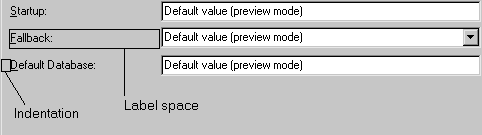
| Indentation | Size in pixels corresponding to the left margin before displaying control labels. |
| Label space | Size in pixels corresponding to the minimal width (50 pixels by default) reserved for displaying the label of a control. When the label associated with a control is larger that the specified width, the label space property is ignored; to display this label, you need to type a number of pixels greater than 50. |


Vertically aligns all items defined below the vertical alignment item in the tree. This is the default layout for the form root item and for a group box.
When you create a vertical layout item, you have to set the following properties:
| Property | Definition |
|---|---|
| Name | Name of the alignment. |
| Indentation | Size in pixels corresponding to the left margin before displaying control labels. |
| Label space | Size in pixels corresponding to the minimal width (50 pixels by default) reserved for displaying the label of a control. When the label associated with a control is larger that the specified width, the label space property is ignored; to display this label, you need to type a number of pixels greater than 50. |

Inserts text at the selected position in the tree view. The label property corresponds to the text of the control as it will be displayed in the form.
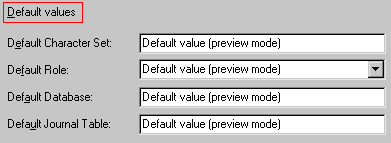

Inserts a separator line below the selected item in the tree view. The separator line is vertical when the parent item is a vertical layout.
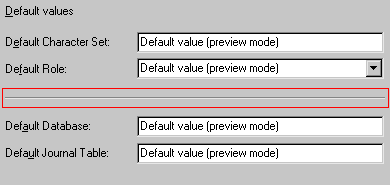

Inserts a spacer control below the selected item in the tree view. The width property corresponds to the spacer width and the height property corresponds to the spacer height.
| Copyright (C) 2006. Sybase Inc. All rights reserved. |
| |