

Chapter 3 Working with Repository Documents
Using the Check In Document window
The Check In Document window lets you specify the model or file to be checked in, and set check in parameters (see Check in parameters).
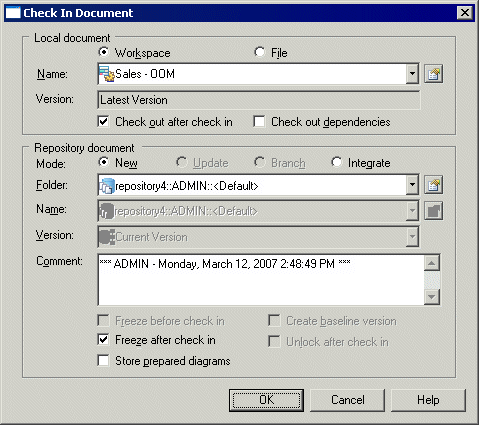
You can arrive at this window in any of the following ways:
- Right-click a model or file in the Local tab of the Browser, and select Check In. The window is pre-populated with details of the document.
- Select a model or file in the Check In Multiple Documents window (see Using the Check In Multiple Documents Window), and click the Settings tool. The window is pre-populated with details of the document.
- Click the Add Document tool in the Check In Multiple Documents window (see Using the Check In Multiple Documents Window). The Local Document details are blank, allowing you to specify a model or file to check in.
|
Copyright (C) 2008. Sybase Inc. All rights reserved.
|
|