A reply activity defines how the business process sends a message in reply to a message that was received by an inbound message activity (IMA), which can be <receive>, <onMessage>, or <onEvent>. The reply activity supports the concept of implicit assignments using the element <toParts>.
The reply activity can take two potential forms:
-
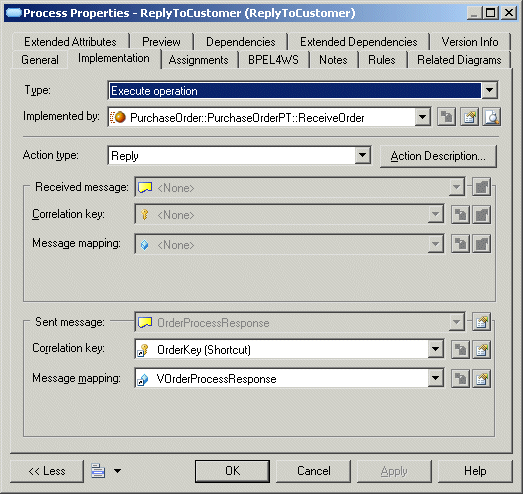
First, in a normal response, the faultName attribute is not used and the variable attribute (or its equivalent <toPart> elements), when present, will indicate a variable with the response message
-
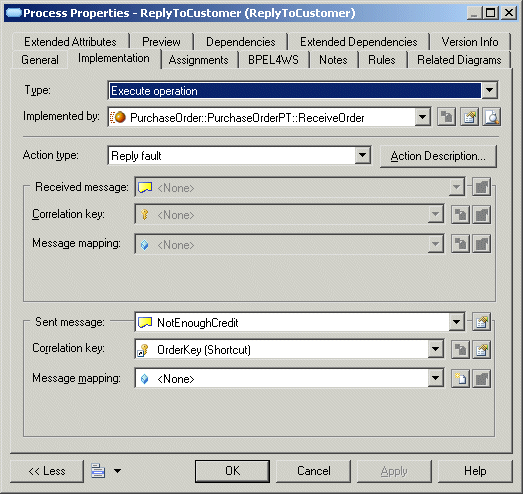
Second, when the response indicates a fault, the faultName attribute is used and the variable attribute (or its equivalent <toPart> elements), when present, will indicate a variable for the corresponding fault
Syntax
<reply name="ReplyToCustomer" partnerLink="Customer" portType="PurchaseOrderPT" operation="ReceiveOrder">
  <correlations>
   <correlation set="OrderKey" initiate="no"/>
  </correlations>
 <toParts>
  <toPart part="CustID" fromVariable="vOrderProcessRequest" />
 </toParts>
</reply>
Mapping
You design a reply activity in any of the following ways:
You design a reply with fault activity in the same way as you design a reply activity. However, the action type of the process must be "reply fault" and the Sent message designs the fault message defined under the WSDL operation.
You can right-click an <<empty>> process and select the Change to Reply Fault command.
Extended Attributes
The following extended attribute apply to the reply activity and the reply fault activity and is available from their property sheet:
|
Name |
Internal code |
Description |
|---|---|---|
|
Initiate correlation |
InitiateCorrelation |
When a correlation is used by the reply activity the initiate attribute can be yes, no or join |
|
Join Condition |
joinCondition |
Join condition |
|
Suppress Join Failure |
suppressJoinFailure |
Avoids propagation of Join Failure exceptions |
|
— |
MultipleCorrelation |
Defines BPEL Invoke, Receive or Reply activities using several correlations. |
|
— |
expressionLanguage |
Specifies the expression language used in expressions |