The invoke activity allows the business process to initiate a message sent to a partner, the partner can respond or not. It can include:
The <toParts> element provides an alternative to explicitly create multi-part WSDL messages from the contents of WS-BPEL variables. Each <copy> operation copies data from the variable (indicated in the "fromVariable" attribute) into the part of the anonymous temporary WSDL variable, which is referenced in the "part" attribute of the <toPart> element.
The <fromParts> element is similar to the <toParts> element. The <fromParts> element is used to retrieve data from an incoming multi-part WSDL message and place it into individual WS-BPEL variables. Each <copy> operation copies the data at the part of the anonymous temporary WSDL variable, which is referenced in the "part" attribute of the <fromPart> element into the variable indicated in the "toVariable" attribute.
The virtual <assign> created as a consequence of the <fromParts> or <toParts> elements occurs as part of the scope of the <invoke> activity and therefore any fault that is thrown are caught by an <invoke>'s inline fault handler when defined.
Syntax
<invoke name="InvokeCreditOrg" partnerLink="CreditOrg" portType="cc:CheckCreditPT" operation="CheckCreditOp">
 <correlations>
  <correlation set="AccountKey" initiate="yes" pattern="request"/>
 </correlations>
 <fromParts>
  <fromPart part="message" toVariable="transfer"/>
 </fromParts>
 <toParts>
  <toPart part="account" fromVariable="personal" />
 </toParts>
</invoke>

Extended Attributes
The following extended attributes apply to the invoke activity and are available from its property sheet:
|
Name |
Internal code |
Description |
|---|---|---|
|
Join Condition |
joinCondition |
Join condition |
|
Suppress Join Failure |
suppressJoinFailure |
Avoids propagation of Join Failure exceptions |
|
Multiple Correlation |
MultipleCorrelation |
Defines BPEL Invoke, Receive or Reply activities using several correlations. |
|
First correlation pattern |
InCorrelationPattern |
When the first correlation is used by the invoke activity, it can be a request, a response or a request-response |
|
Second correlation pattern |
OutCorrelationPattern |
When the second correlation is used by the invoke activity, it can be a request, a response or a request-response |
|
— |
InCorrelationInitiate |
When the first correlation is used by the invoke activity, the initiate attribute can take yes, no or join value. |
|
— |
OutCorrelationInitiate |
When the second correlation is used by the invoke activity, the initiate attribute can take yes, no or join value |
|
— |
expressionLanguage |
Specifies the expression language used in expressions |
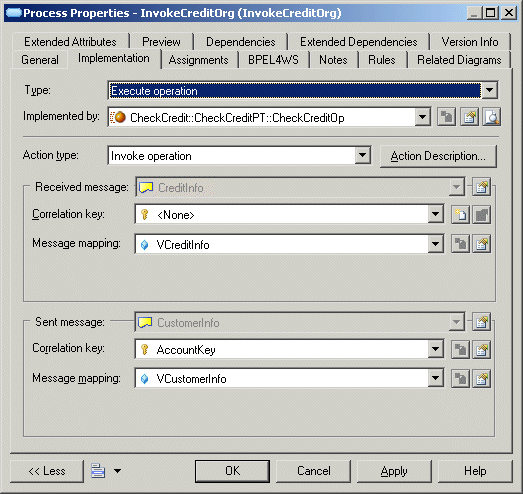
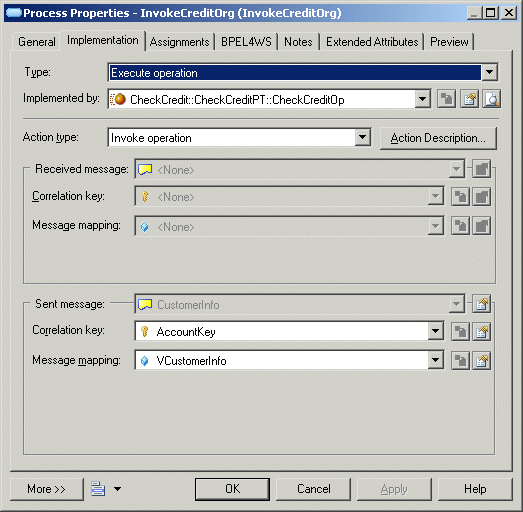
When the invoked operation is a One-Way operation, the Message mapping attribute of the Sent message corresponds to the invoke variable defined for the BPEL invoke activity and the Correlation key attribute corresponds to the correlation element of the BPEL activity:
When the invoked operation is a Request-Response operation, the Message mapping of the Received message corresponds to the input variable defined for the invoke activity and the Message mapping of the Sent message corresponds to the output variable.